
Generate Access Tokens in DevPortal
Easily test your application by getting an access token directly from the ZoomInfo DevPortal
OAuth, while an industry standard authorization protocol, can be cumbersome and timely to fully implement; therefore, making it hard to start testing your APIs. If you want to get setup quickly and start development while building the entire authorization flow, ZoomInfo offers a utility within the DevPortal application to quickly generate access tokens that can be used to call ZoomInfo APIs.
The steps to create an access token in the ZoomInfo DevPortal are:
Find Your App in the DevPortal
The first step is to login to ZoomInfo and go to the DevPortal application. You can access the DevPortal application either from the app launcher shown after login or through the app switcher from within any ZoomInfo application.
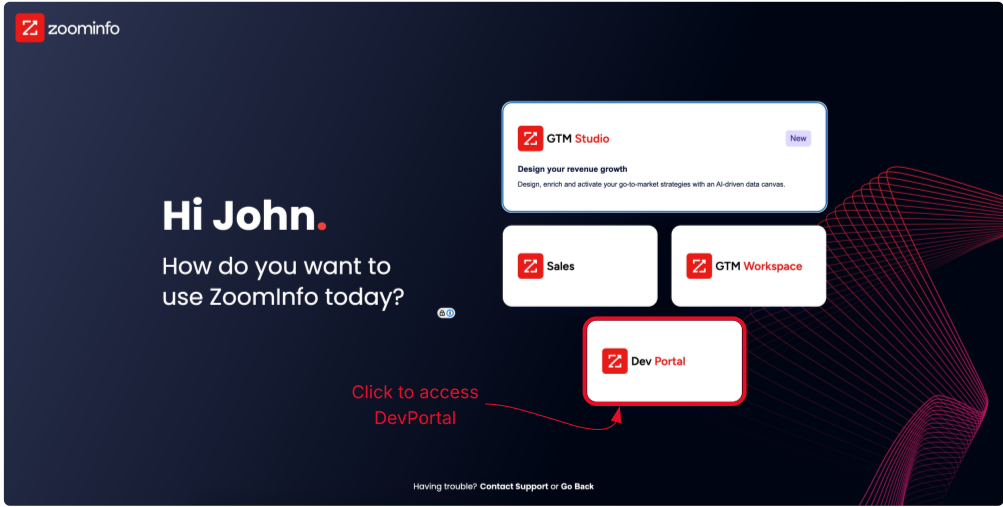
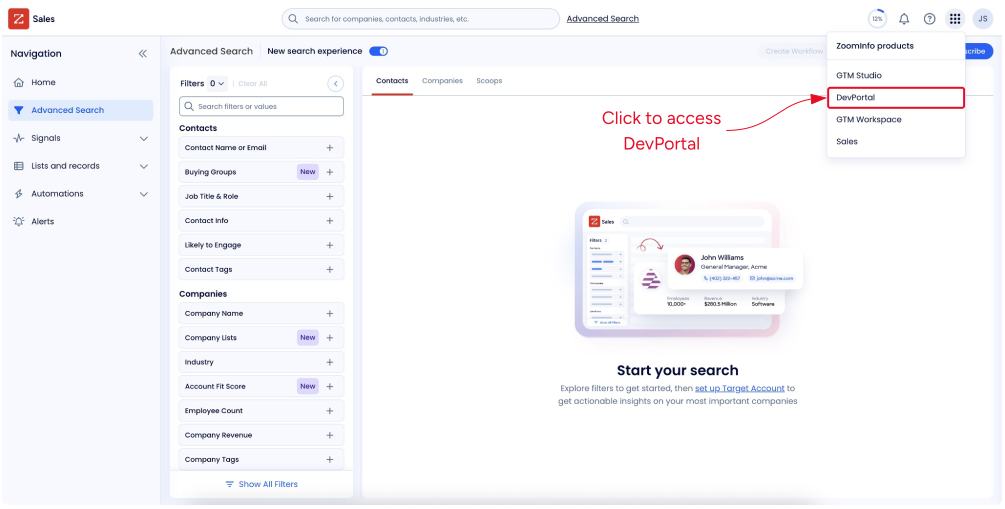
Access DevPortal through app selection menus
One you enter the DevPortal, you will see a table of all the applications you have created. If you have not created an application yes, please follow the steps in App Creation - Developer Portal Guide and then come back to this guide.
Generate Bearer Token
Locate the application you would like to use for testing. Under the Bearer Token column, you will see a button that says Generate. Click this button to start the token generation process
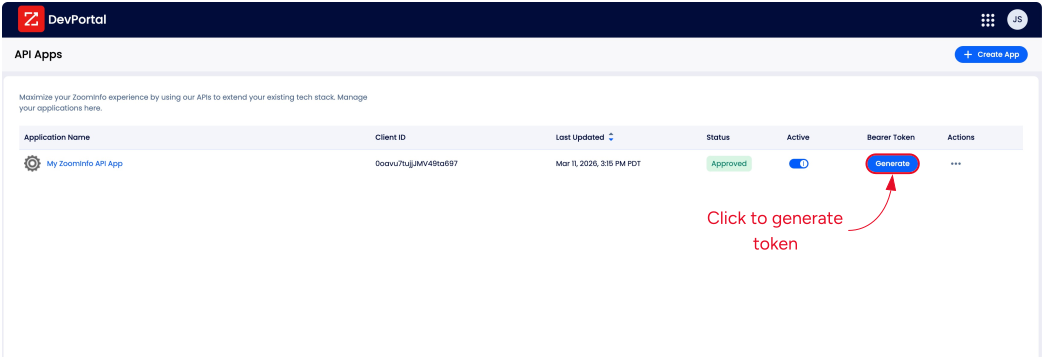
Upon clicking the Generate button, a new window will pop-up taking you to the ZoomInfo login screen. You will have to login again. ZoomInfo application session and ZoomInfo API sessions are treated differently, thus why you need to login again. This also allows you to use the credentials for the user you are logged in with or if you want to test the experience for a different user you can login with those credentials.
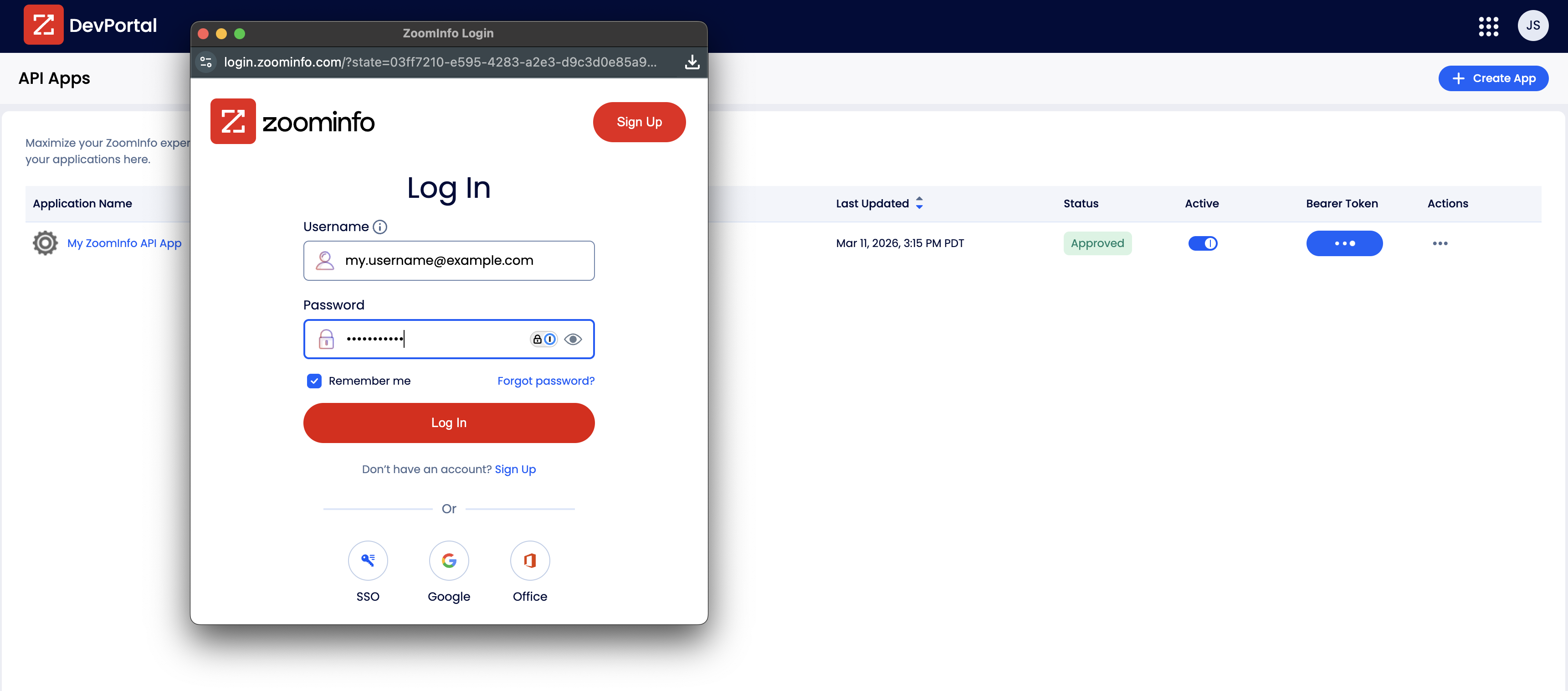
Once you successfully authentication, the login pop-up window will flash Success and then will close on its own.
Copy Token and Start Calling ZoomInfo APIs
Once the login pop-up window closes, a modal will show up that contains your newly generated access token. You can copy the access token by either highlighting the text in the text area within the modal, or using the copy button next to the text area ( )
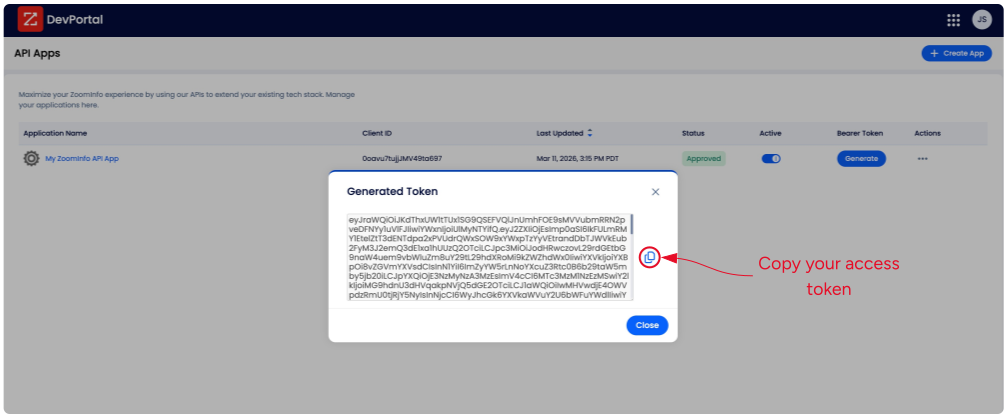
Now that the token is copied to your clipboard, you can paste that token into the ZoomInfo API Reference and begin trying out the ZoomInfo APIs!
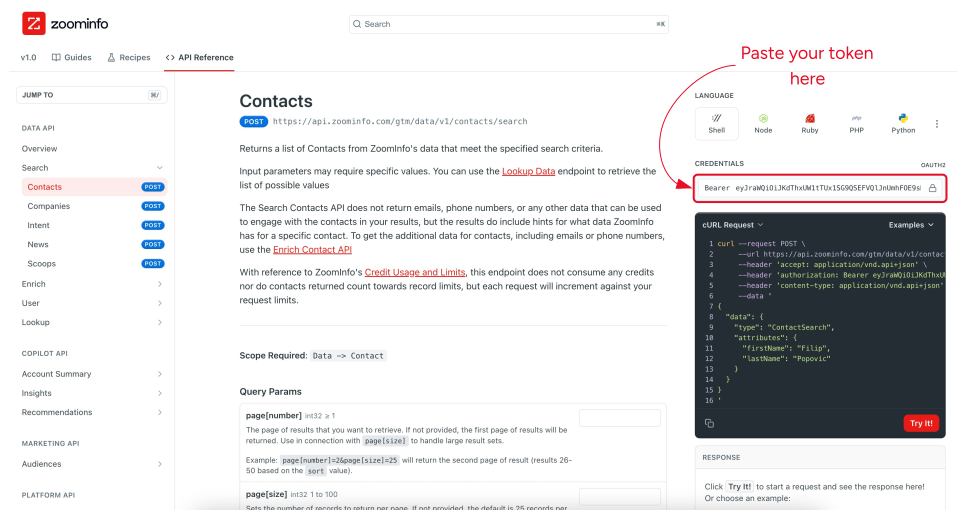
Note: All API calls made with tokens generated in the DevPortal are treated as real production requests. They will consume credits and are subject to rate limits based on your account.